Free Excel Commission Calculator Template (When to Use It & When to Outgrow It)

Matt
The Chief Commission Officer
Why We're Giving Away a Free Commission Calculator
We run a commission management software company.
So why are we giving away a free Excel template?
Because we're not competing with Excel. We're competing with risk.
74% of businesses run commissions in Excel. I did it myself for the better part of 15 years — I've calculated that I probably made 43 commission models across eight different companies over the years.
Excel is the best calculation engine ever built, and for a long time it's all you need to survive.
But there's a 90/10 rule in compensation that changes everything.
The 90/10 Rule: Where Excel Excels (And Where It Breaks)
Excel is brilliant at the 90%:
- Calculate tiered commission rates
- Handle rep splits and overlays
- Process deal data from your CRM
- Generate payout numbers
- Export to payroll
The math works. The logic is sound. You get a number every month.
This is the survival phase. And Excel is perfect for it.But that final 10%? That's where the world of hurt lives:
- Legal documentation of plan changes
- Signed rep acknowledgments
- Audit-ready controls and access logs
- Version history and change tracking
- Multi-user operational continuity
- Interactive rep portals for transparency
- Dispute resolution with proof of calculation
You find out about this 10% the hard way — usually when:
- Auditors arrive and "trust me, the math is in this tab" isn't a valid answer
- A lawsuit hits and you have zero legal plan documentation
- Your top rep quits and claims they're owed $14K more (prove them wrong)
- The person who built the model leaves and nobody knows how it works
Some people act like they've never been sued or audited and it shows.
Watch the Full Walkthrough
See exactly how this template is built, formula by formula:
Download the Template (Built by a Former CFO)
Download the free Excel template here — enter your email and we'll send it straight to your inbox.This isn't a basic template thrown together by a marketer. It's the first time I've built one completely from scratch with no deadline pressure using modern Excel techniques.
Inside you'll find:
The 6-Tab Architecture
- Instructions: Step-by-step walkthrough with video timestamps
- Inputs: Raw CRM data table (Opportunity ID, sales rep, product, amount, closed date, contract term)
- Helpers: The transparent "mini workhorse" that generates commissionable events
- People: Sales team roster with job titles and manager assignments
- Plans: Your rules engine — configure quotas, rates, tiers, and effective dates
- Commission Ledger: The calculation engine that processes everything
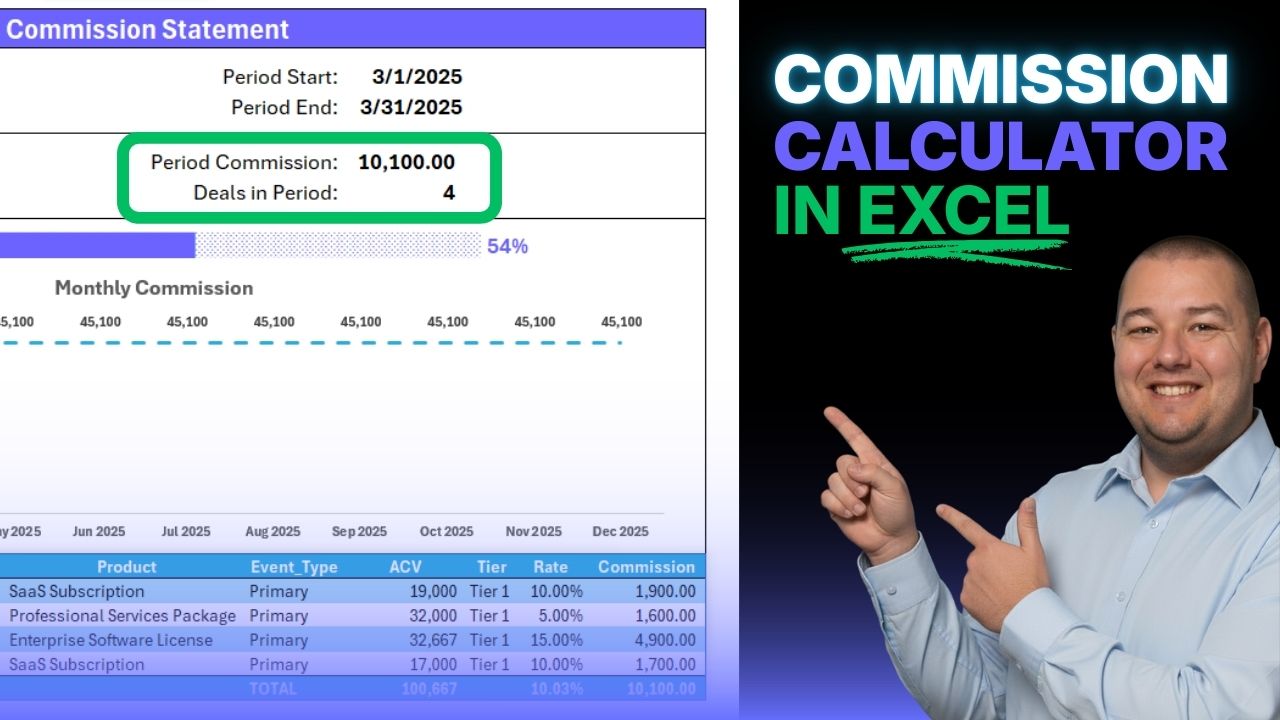
- Statement Template: Dynamic, rep-ready output with charts and drill-downs
Real-World Commission Scenarios
- Multi-tier plans with different rates at different quota levels (Tier 1: 15%, Tier 2 at 80%: 20%)
- Primary reps, support reps (overlays), and manager overrides — all in one system
- Flat-rate commissions (e.g., $150 per professional services deal)
- Products that don't contribute to quota but are still commissionable
- Effective-dated plan changes — set end date 3/31, new start date 4/1, calculator picks the right rules
Modern Excel Techniques
- LET functions — declare variables, build complex logic cleanly
- VSTACK/HSTACK — combine lists vertically and horizontally
- FILTER — dynamic lookups based on multiple conditions
- SEQUENCE — generate rep × product combinations automatically
- Dynamic arrays — write the formula once, let it spill
- Structured table references — no more cell ranges
When to Use This Template
Use this free model if:
- You have fewer than 50 sales reps
- Your commission plans are straightforward (2-3 tiers, basic rules)
- You have someone on your team who's comfortable maintaining Excel models
- You're in the "survival phase" — focused on getting accurate numbers out monthly
- Nobody's threatening legal action or asking for audit documentation
It'll get you 90% of the way there. And it's better than what most people are using.
When You've Outgrown the Spreadsheet
You'll know it's time to move beyond Excel when:
1. The "Support Ticket Tax" is Real
You're spending 5+ hours every month answering "where's my commission?" in Slack.
Your finance team has become a help desk. Every payroll cycle, the same questions. The same screen shares walking reps through your formulas.
And you're having to iterate every single month — produce all of the outputs, address questions, churn, churn, churn — and then next thing you know, it's already time to run commissions again and you're just kicking the thing off.
What you need: An interactive portal where reps can see their commissions in real-time, drill into every deal, and answer their own questions.2. The "Shadow Ledger" Problem
Your reps don't trust your black-box spreadsheet, so they're keeping their own parallel calculations.
You've lost your status as the single source of truth. Now you have a trust problem, not a calculation problem.
What you need: Transparency. Reps need to see exactly how every deal was calculated, using which plan rules, on which effective date.3. The "Audit Readiness" Gap
Auditors or legal teams start asking questions you can't answer with a spreadsheet:
- "Show me your access controls. Who can edit this file?"
- "Where are the signed plan acknowledgments from each rep?"
- "Walk me through your audit trail. How do you prove these were the actual payouts?"
- "What happens if the analyst who built this leaves?"
There is no audit trail. If you go in and fat-finger something, there's nothing in there that protects against little tweaks and changes. And if errors turn into payment errors, that's a problem.
What you need: Enterprise-grade controls, documentation, and audit logs that don't require manual work.4. The "Plan Change Nightmare"
Your VP of Sales wants to add a 2% kicker for multi-year deals starting next month.
That "simple" request is an 8-hour nightmare of rebuilding formulas, re-linking tabs, and praying you didn't break payroll.
Your "good enough" model has become a fortress that's impossible to change.
What you need: A system where plan changes take minutes, not weeks, and you can model the impact before deploying it.The Transformation: From Calculator to System
We talk a lot about "better, faster, easier" in the software world.
But the real transformation isn't about speed. It's about corporate hygiene.
Excel is a powerhouse for calculation, but it wasn't built for:
- Operational continuity (what happens when the Excel wizard leaves?)
- Audit-ready controls (who changed what, when, and why?)
- Legal documentation (signed plan acknowledgments, historical plan versions)
- Self-service transparency (reps seeing their own data without Slack pings)
When you move beyond the "survival" stage of commissions, you need more than a calculator.
You need an environment where these things are the standard, not the exception.
That's what Siplify was built for.What Makes Siplify Different
Built by Finance, for Finance
We didn't guess what finance leaders need. We were finance leaders.
- 20+ years running commission processes in Excel
- We know the pain points because we lived them
- We built the software we wish we'd had
The 90% + The 10%
Siplify handles the calculation brilliantly (that's table stakes).
But we also handle the 10% that Excel can't:
- Audit logs: Every calculation, every change, timestamped and attributed
- Legal documentation: Historical plan versions, signed acknowledgments, dispute records
- Rep portals: Self-service transparency, drill-down to every deal
- Access controls: Role-based permissions, approval workflows
- Plan versioning: Effective-dated changes without breaking historical payouts
- Operational continuity: No single point of failure, no "Excel wizard" dependency
Not Just Automation — Insurance
Excel is a calculator. Siplify is insurance.Look, I know that Excel is going to be fully capable of helping you. But if at some point you are feeling like there's got to be a better way, I built Siplify to be that better way.
You don't need dedicated software until you suddenly, desperately do.
You need it when the auditors arrive.
You need it when a lawsuit hits.
You need it when your pre-payroll anxiety is costing you sleep every month.
Calculations are table stakes. Peace of mind is the transformation.Start With the Template. Upgrade When You're Ready.
Download the free Excel template — we'll send it straight to your inbox.Use it. Play with it. Break it. Run your commissions on it.
If you're in the survival phase, it'll serve you well.
And when you're ready for the transformation — when you need more than a calculator — we'll be here.
See the "Better Way" (Siplify Demo) →
Calculate Your ROI →
Frequently Asked Questions
Is this really free?
Yes. No credit card. No trial period. It's an Excel file. Download it and use it.
We're giving it away because we're proud to support the Excel community. And because we know you'll recognize when you've outgrown it.
Does this work for my industry?
The template is designed for sales commission calculations, but the principles apply to any variable compensation structure. Customize it to your needs.
What version of Excel do I need?
Microsoft 365 or Excel 2021+ for dynamic array formulas. If you're on an older version, the walkthrough video explains how to adapt the formulas.
Do I need to know advanced Excel?
You need to be comfortable with formulas and table structures. The video walkthrough explains every formula in detail.
What if I get stuck?
Watch the video walkthrough. Or reach out — we're happy to help.
Continue Reading
More insights on sales compensation and best practices